Skills
Skills enable you to extend an agent's capabilities by attaching reusable instructions. A skill contains predefined prompts and guidance that influence how an agent behaves when performing specific tasks.
Unlike the main Prompt node, which defines the agent's overall behavior, Skills describe focused capabilities that can be reused, versioned, shared, linked, or kept private to one agent. This helps teams keep agent behavior consistent across business workflows without duplicating the same instructions in every agent.
Skill Registry
ART Website Content Review & Listing Icons The Skill Registry is the central location for creating, managing, and organizing skills within Agent Lab.
The Skill Registry contains two sections:
- Global Skills – Skills that can be created, managed, and shared across multiple agents within the organization.
- Master Skills – System-managed skills available only to Super Admin users.
Creating a Global Skill
- Navigate to Skills from the left navigation menu.
- Select the Global Skills tab.
- Click Add Skill.
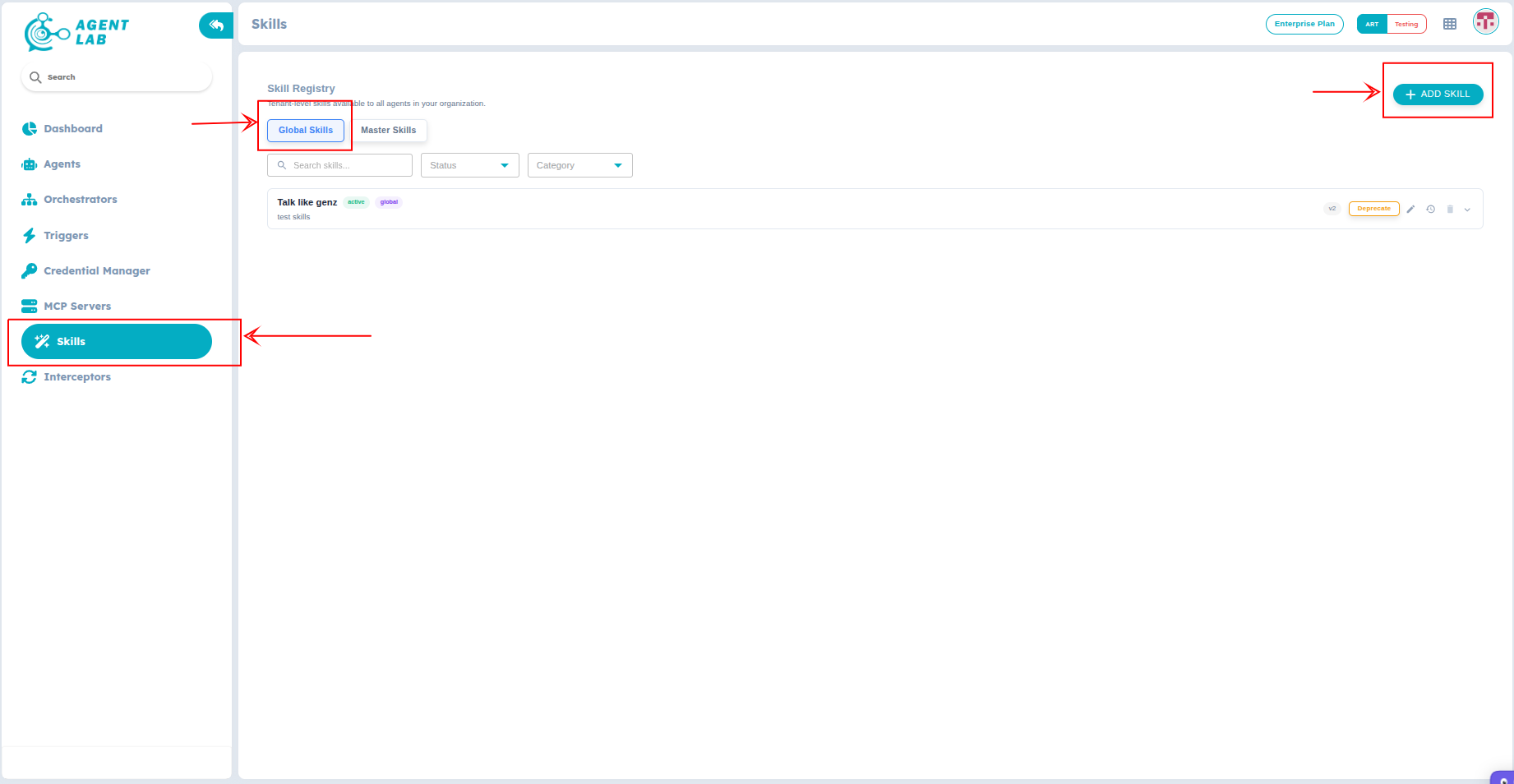
Figure 1: Create Skill
-
Enter the required information in the form:
Field Description Name (Slug) A unique identifier for the skill Title The display name of the skill. Description A brief description of the skill's purpose. Category The category used to organize similar skills. Skill Content (Markdown) The instructions or prompt that define the skill's behavior. Trigger Keywords Keywords that help identify when the skill should be used. Tags Labels used to organize and search for skills. -
Click Create to save the skill as a draft.
-
Click Publish to make the skill available for use.
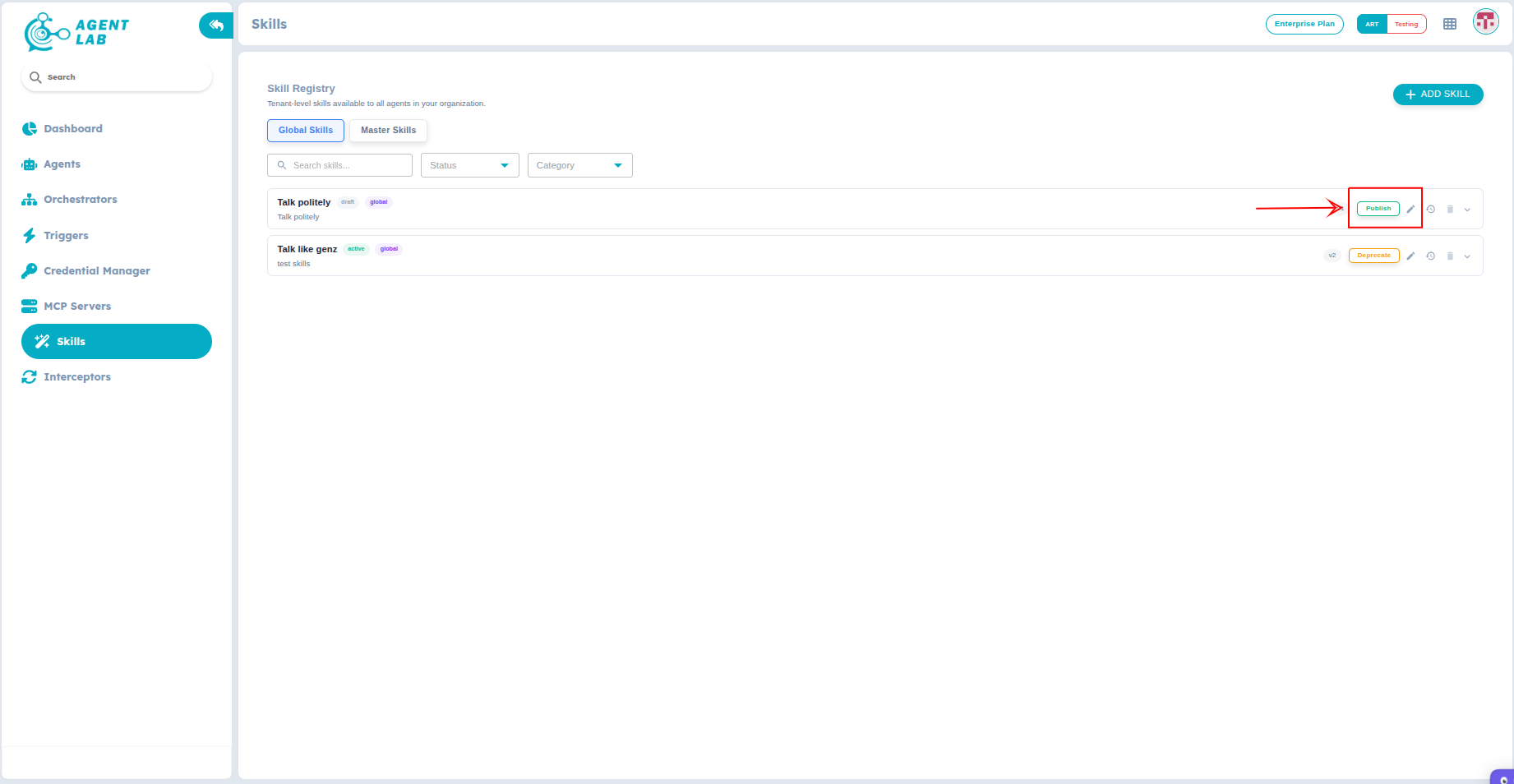
Figure 2: Publish skill
Only published skills can be imported into agents.
Using Skills in an Agent
- Open the agent you want to configure.
- Navigate to the Skills tab.
You can add skills to an agent in one of the following ways:
Import a Global Skill
Import a reusable skill from the Global Skills registry.
- Click Import Skill.
- Select the required skill from the Global Skills list.
- Choose whether to Link or Copy the skill.
- Save the changes.
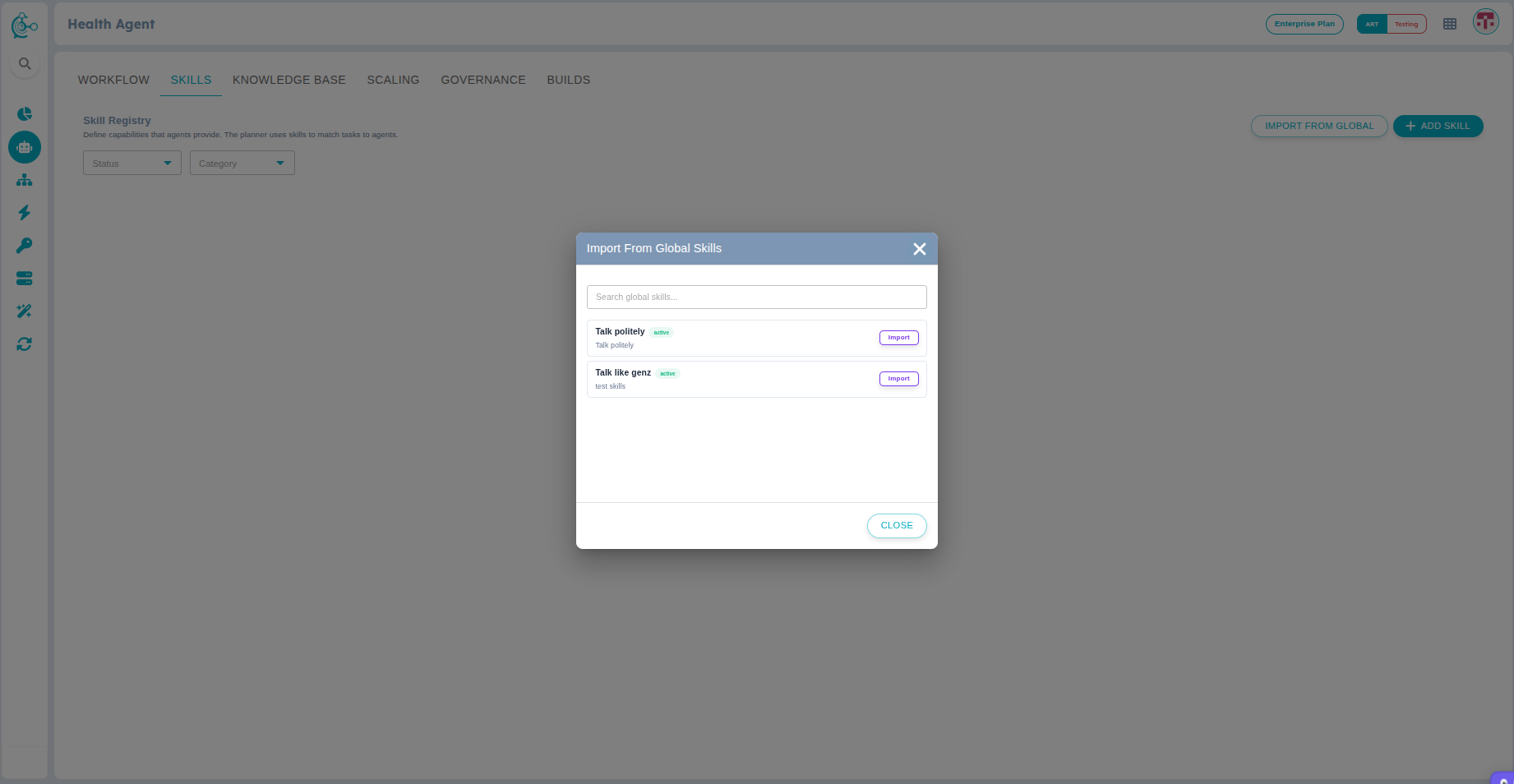
Figure 3: Select Global skill
Create an Agent Skill
Create a new skill directly within the agent.
- Click Add Skill.
- Enter the required skill details.
- Click Create to save the skill.
Skills created within an agent are agent-specific. They are available only to that agent and are not added to the Global Skills registry or shared with other agents.
Import Options
Link
Selecting Link creates a reference to the original Global Skill.
- The agent continues to reference the Global Skill.
- Updates to the Global Skill are available as newer versions.
- You can review and publish the updated version when required.
Use Link when multiple agents should always stay synchronized with the latest version of a skill.
Copy
Selecting Copy creates an independent version of the selected Global Skill.
- The copied skill becomes part of the agent.
- Future updates to the original Global Skill are not applied.
- The copied version can be modified independently.
Use Copy when the agent requires customized behavior without affecting the original skill.