Scaling
The Scaling feature allows you to manage the runtime deployment of published agent builds. It enables you to create and manage Agent Pools, control the number of running agent instances, and configure how those instances behave during runtime.
Scaling helps ensure that agents are available to process requests efficiently while allowing you to optimize resource usage.
An agent must have a published build before it can be deployed through the Scaling page.
What is an Agent Pool?
An Agent Pool is a collection of running agent instances created from a published build. Each pool uses the selected build version and runtime configuration to process incoming requests.
Each Agent Pool can be configured with the following settings:
Pool Size – Specifies the number of agent instances to keep running. Idle Timeout – Specifies how long an inactive agent instance remains running before it is automatically stopped. Maximum Lifetime – Defines the maximum amount of time an agent instance can run before it is restarted.
Use the Scaling feature to:
- Deploy published agent builds.
- Keep agent instances ready for incoming requests.
- Increase or decrease runtime capacity.
- Optimize resource usage by stopping idle instances.
- Manage the lifecycle of deployed agents.
- Configure runtime behavior for production or testing environments.
Accessing the Scaling Page
To manage agent deployment:
- Open the required agent.
- Navigate to the Scaling tab.
If a published build is available, its associated Agent Pool is displayed automatically.
If no published build exists, create and publish a build before using the Scaling page.
The Scaling page organizes Agent Pools based on the agent nodes in the workflow.
The page displays:
- Deployed Pools – Pools that are currently running.
- Idle Pools – Pools that exist but are not currently deployed.
- Pools by Agent – Pools grouped under their corresponding agent nodes.
- Unlinked Pools – Pools associated with agent nodes that have been removed from the workflow.
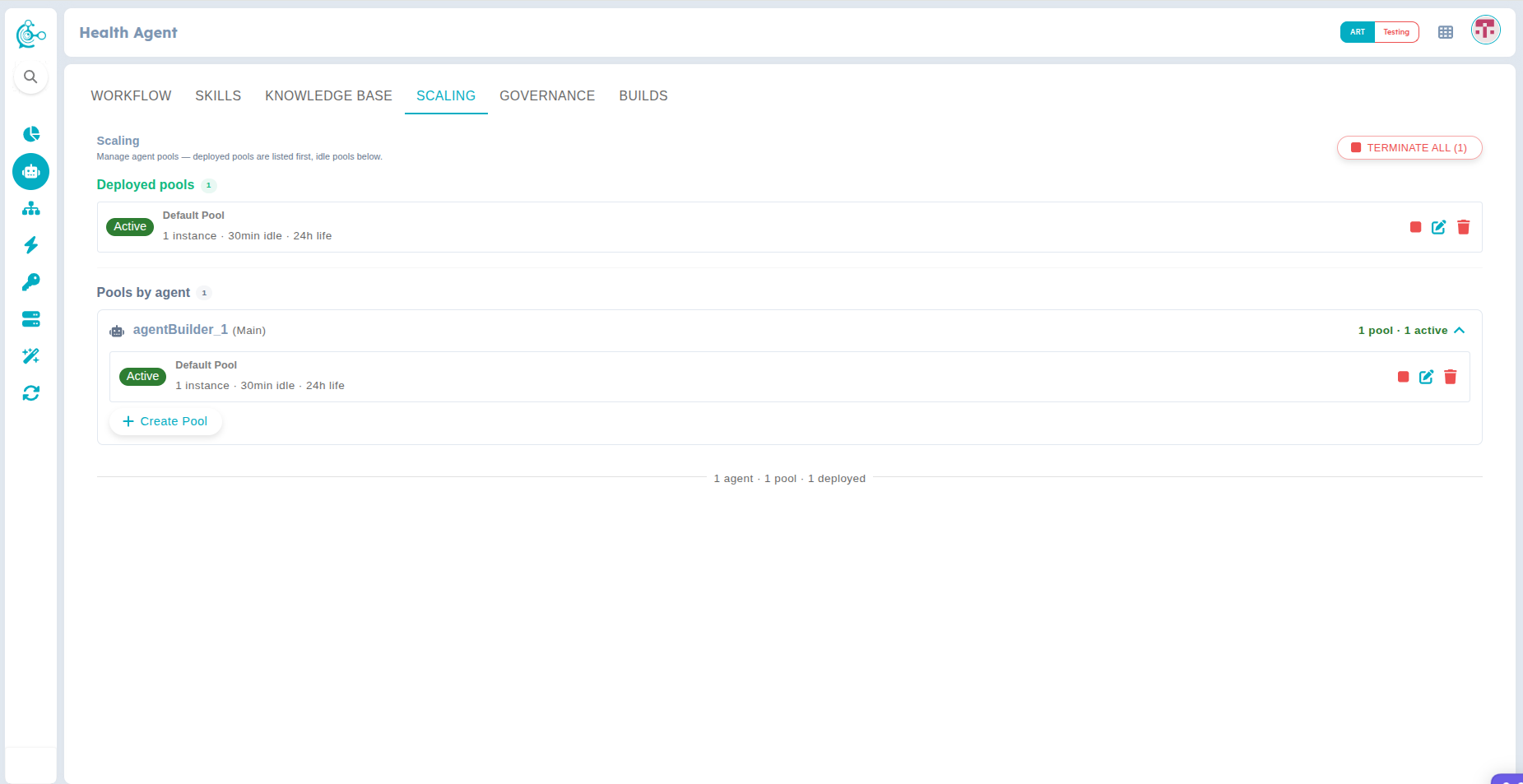
Figure 1: Scaling Page
Each Agent Pool provides several management options.
You can:
- Deploy – Start the selected Agent Pool.
- Terminate – Stop the running Agent Pool.
- Edit – Update the runtime configuration.
- Delete – Remove the Agent Pool.
You can also perform bulk operations:
- Deploy All – Deploy all available Agent Pools.
- Terminate All – Stop all deployed Agent Pools.
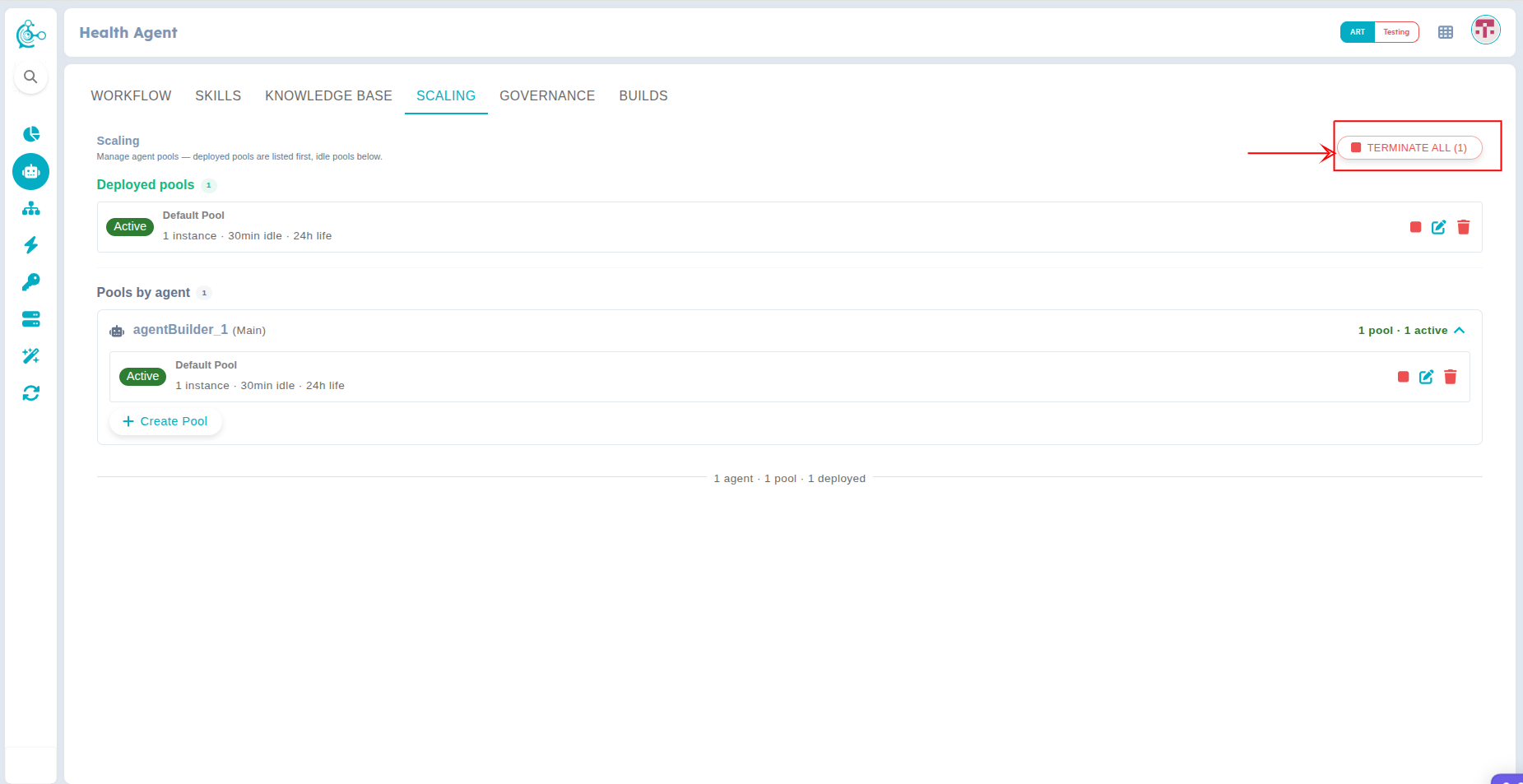
Figure 1: Managing Agent Pools
Creating an Agent Pool
To create an Agent Pool:
- Click Create Pool.
- Enter the required pool configuration.
- Configure the following settings:
- Pool Name
- Description (optional)
- Pool Size
- Idle Timeout
- Maximum Lifetime
- Save the configuration.
- Click Create & Start to create the Agent Pool.
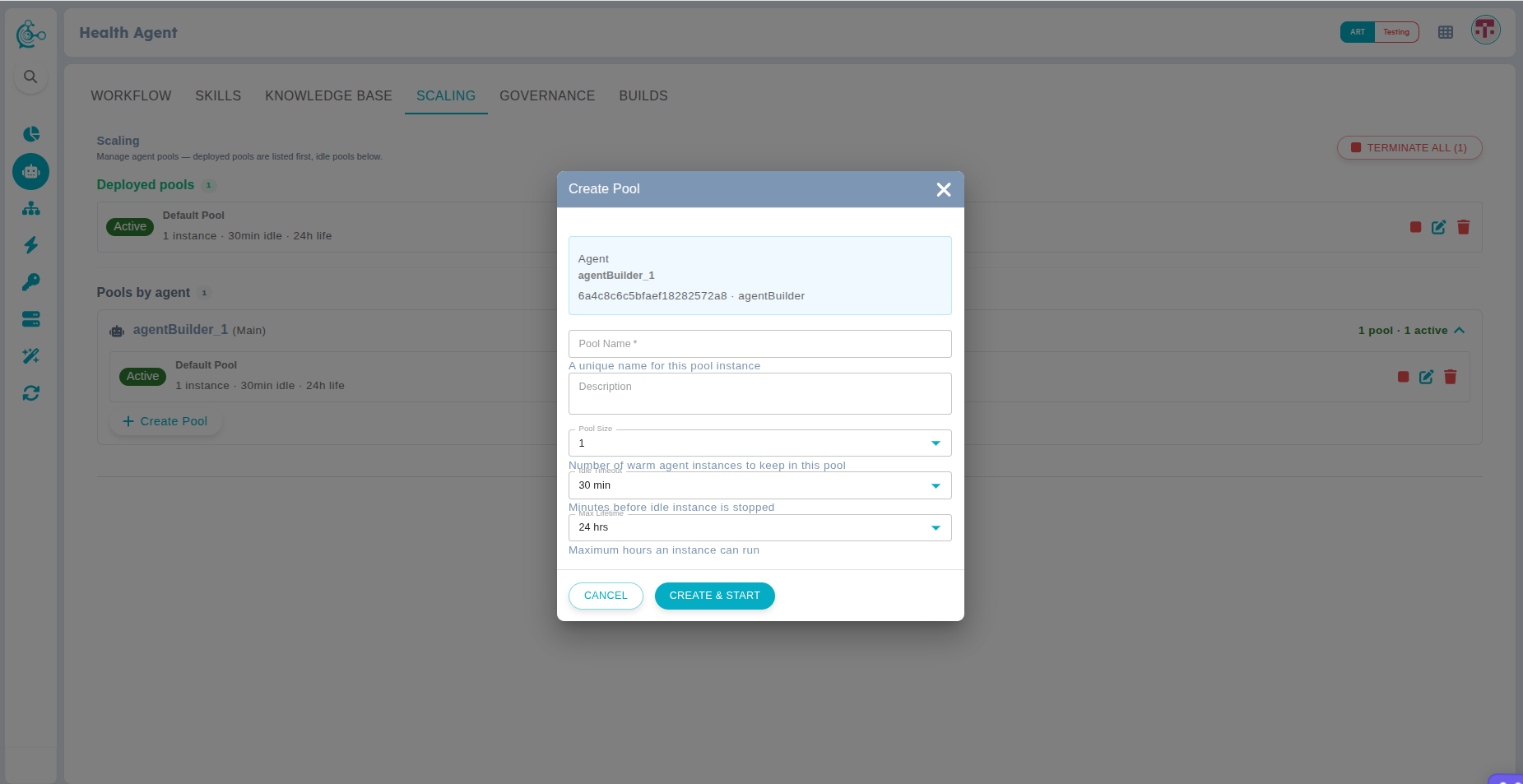
Figure 3: Create Agent Pool
Publishing a build may automatically create an Agent Pool if one does not already exist.
Pool Configuration
Each Agent Pool includes the following configuration options.
| Setting | Description |
|---|---|
| Pool Size | Number of agent instances maintained by the pool. |
| Idle Timeout | Time an idle instance remains active before stopping automatically. |
| Maximum Lifetime | 1Maximum duration an agent instance runs before being restarted. |
The Builds and Scaling features work together.
- A workflow must first be built.
- The build must then be published.
- After publishing, the build becomes available for deployment through the Scaling page.
- The Agent Pool runs the published build.