Knowledge Base
The Knowledge Base allows you to upload documents and reference files that an agent can use to answer questions and retrieve information. By connecting relevant documents to an agent, you can provide additional context and domain-specific knowledge, enabling more accurate and informed responses.
The Knowledge Base is ideal for storing manuals, policies, product documentation, spreadsheets, and other reference materials that the agent can use during conversations.
The Knowledge Base enables an agent to:
- Access information from uploaded documents.
- Answer questions using organization-specific knowledge.
- Retrieve information from reference materials.
- Reduce the need to include large amounts of information in prompts.
- Provide more accurate and context-aware responses.
Adding Files to the Knowledge Base
- Open the agent you want to configure.
- Navigate to the Knowledge Base tab.
- Click Upload Files.
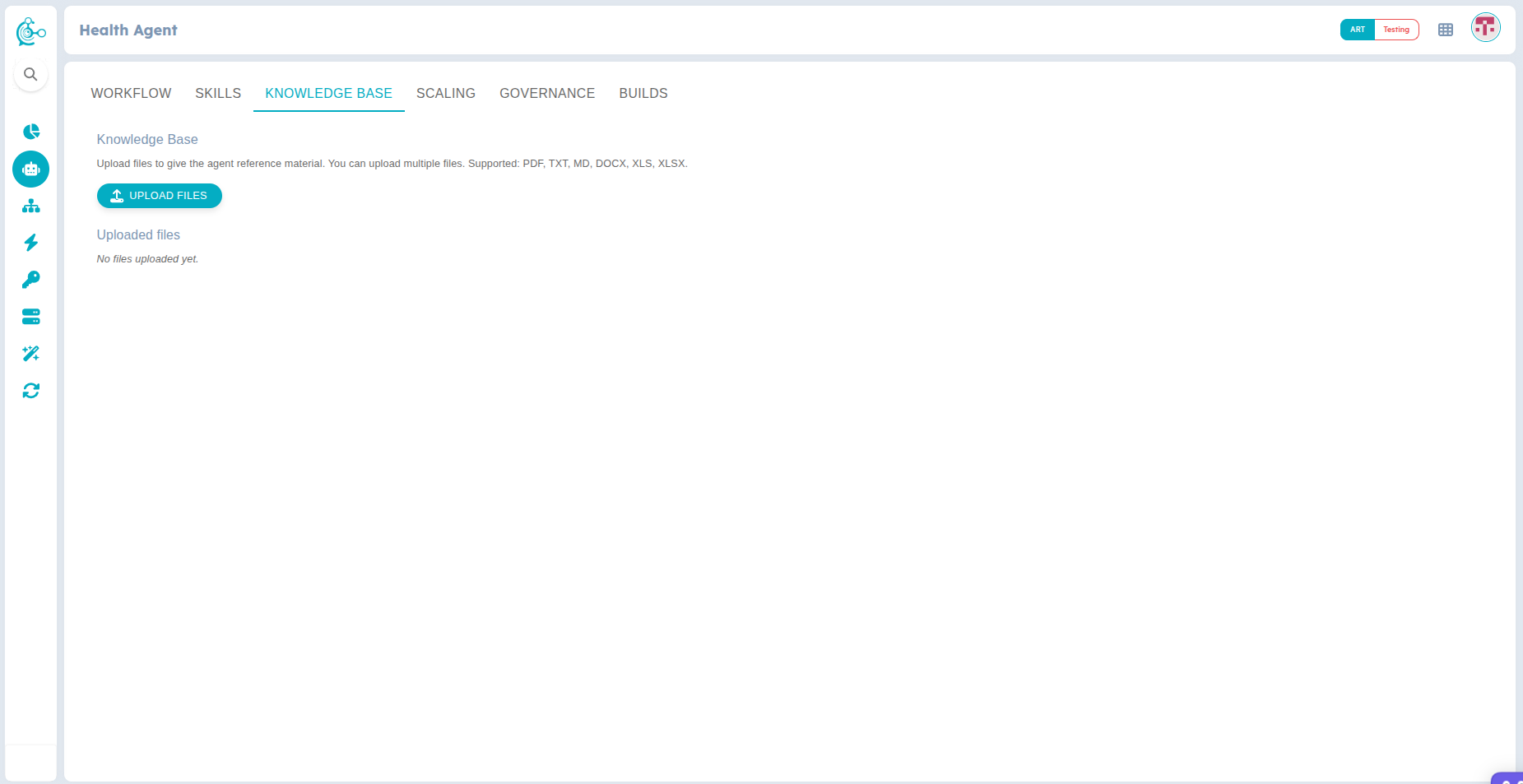
Figure 1: Upload Files to the Knowledge Base
- Select one or more supported files from your device.
- Wait for the upload to complete.
Enabling the Knowledge Base
After uploading your documents, enable the Knowledge Base for the agent.
- Click the Agent Configuration Settings icon.
- Under the General tab, enable the Knowledge Base toggle.
- Click Save to apply the changes.
Once enabled, the agent can retrieve information from the uploaded documents when responding to user queries.
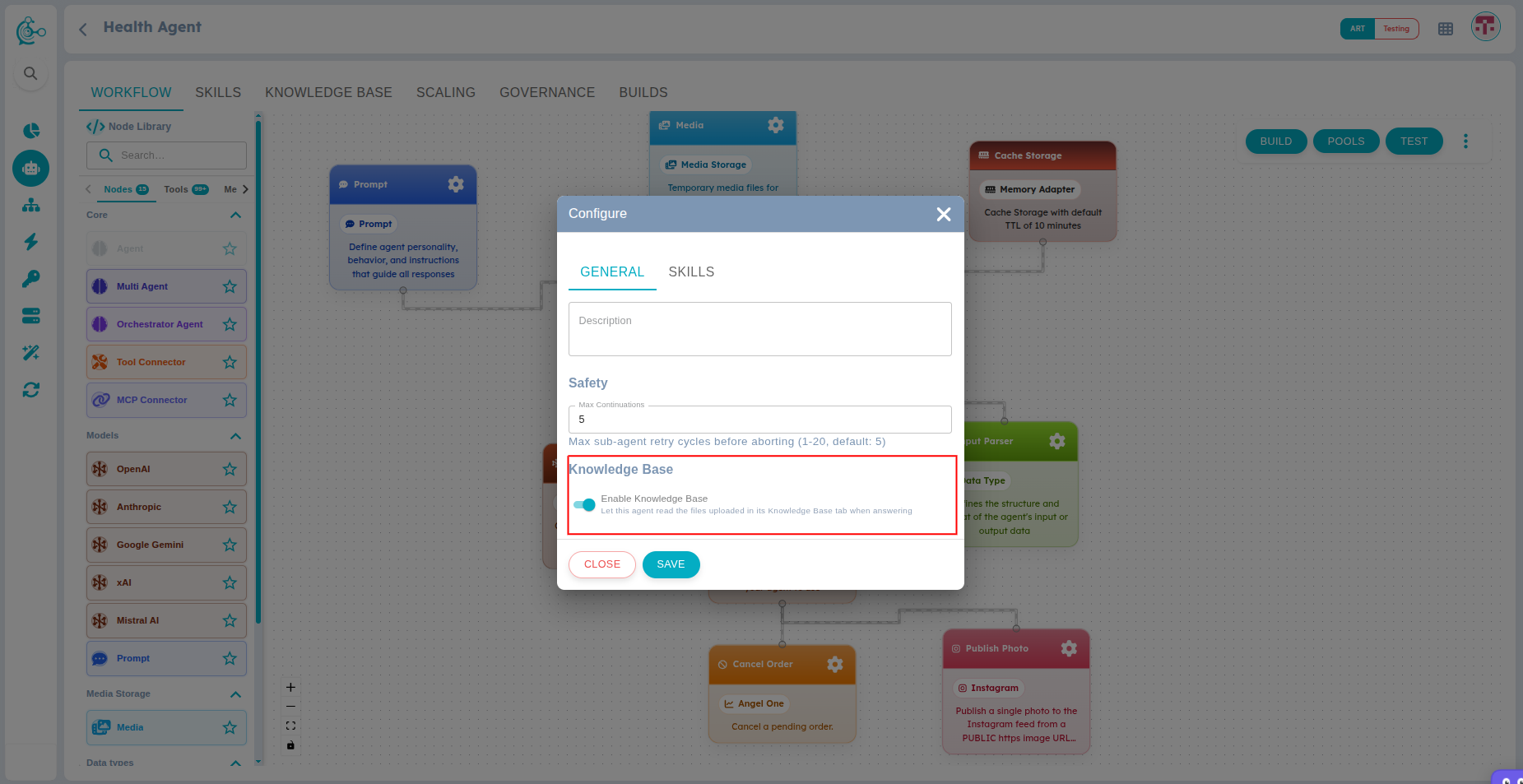
Figure 2: Enable Knowledge Base
Supported File Types
The Knowledge Base supports the following document formats:
Default Configuration
| File Type | Supported Extensions |
|---|---|
| PDF Documents | |
| Microsoft Word | .docx |
| Microsoft Excel | .xls, .xlsx |
| Plain Text | .txt |
| Markdown | .md, .markdown |
Legacy Microsoft Word files (.doc) are not supported. Convert them to .docx or .pdf before uploading.
When a user asks a question, the agent searches the uploaded documents in the Knowledge Base to find relevant information. The retrieved content is then used to generate a response based on the available documents.
If no relevant information is found, the agent responds using its configured behavior and available resources.