Channel Configuration
ART provides a flexible channel configuration, allowing you to tailor each channel's behavior to suit a wide range of use cases. These configurations give you precise control over how messages are handled, based on properties like the channel's state, orchestration settings, and message delivery guarantees.
- Select the Channels side-menu item.
- Click on the Add button in top right corner.
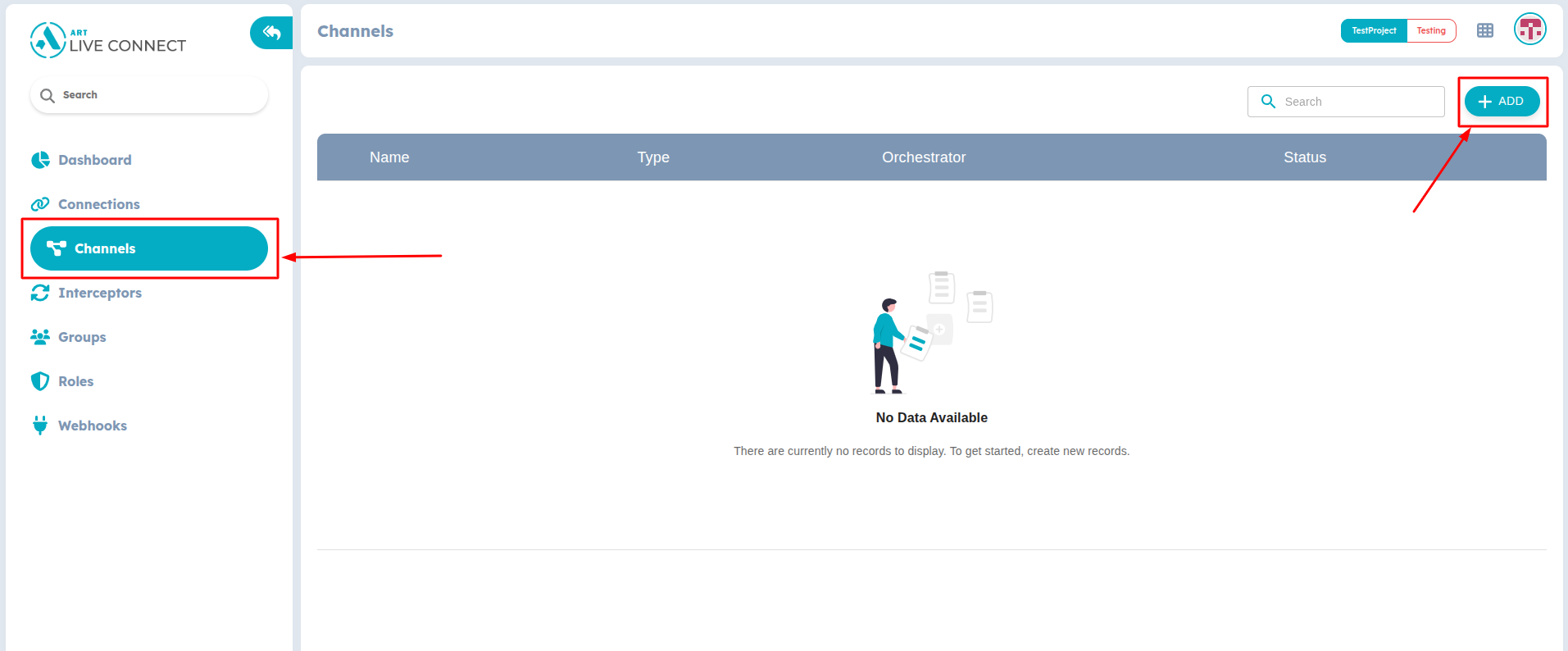
Figure 2: Create new Channel
- In the dialog, you can enter the Name for your channel.
- Select the Type of Channel that you want from available list of channels.
- Select the Channel State, Orchestration, Message Delivery Guarantee, and User Presence Tracking options according to your need.
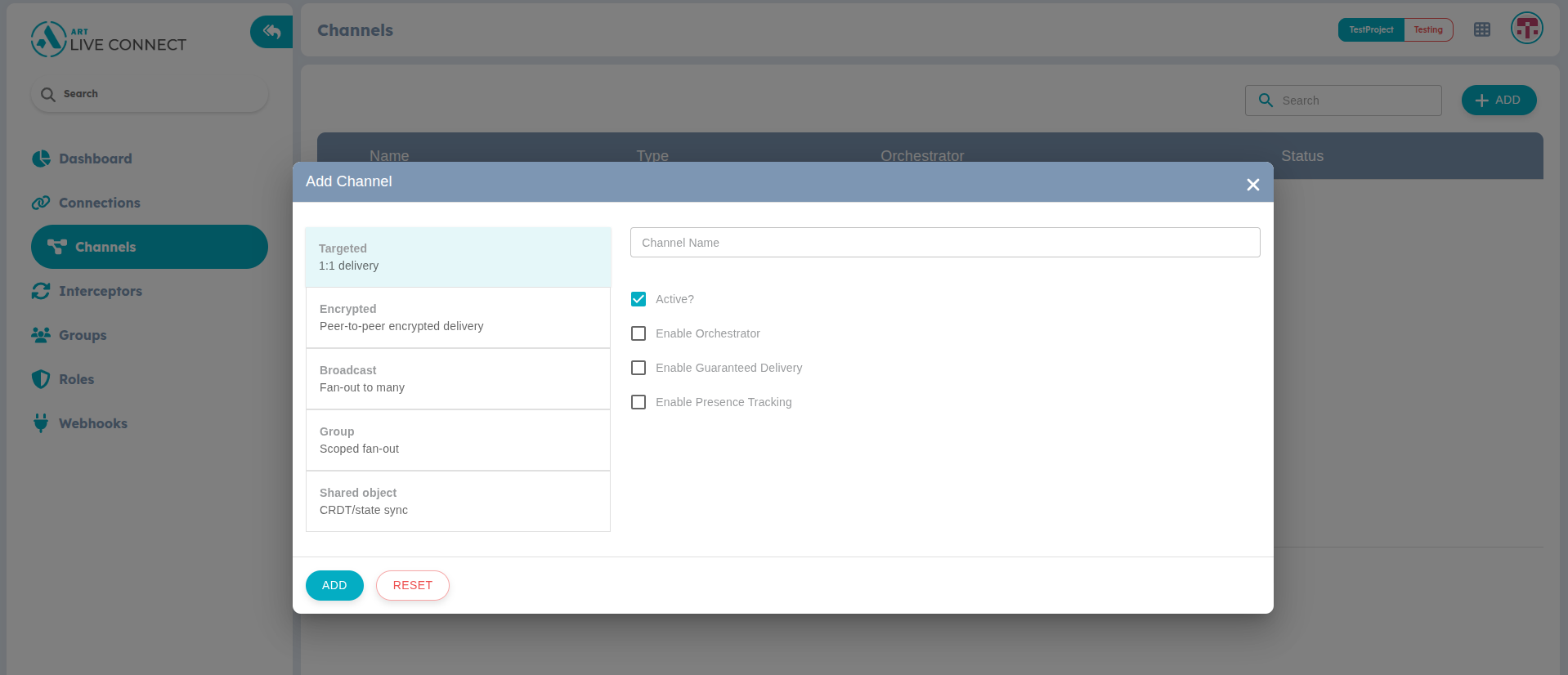
Figure 3: Add Channel
- Review the configuration and click on Add to save.